Hangfire - From the User Interface
Introduction
A recent comment on my YouTube video on adding Hangfire asked the question
"Is it possible to set RecurringJob.AddOrUpdate() from the program UI? So adding a schedule or modifying the settings does not need to modify PROGRAM.CS and recompile the program?"
The answer is 'Yes', with a couple of provisos
Page to Test
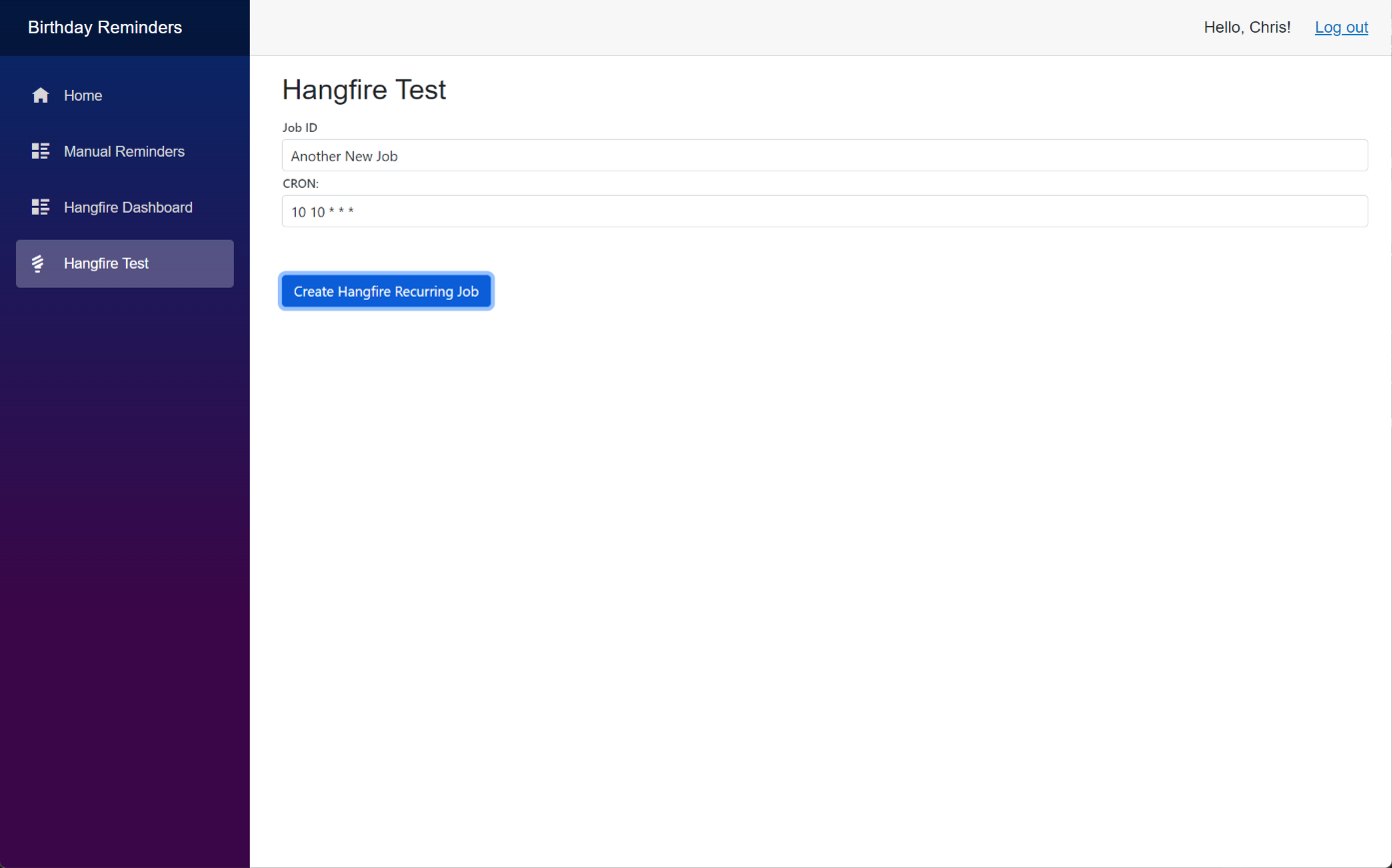
This is the code for a very basic razor page to test the concept of creating a Hangfire RecurringJob.AddOrUpdate() task.
@page "/hangfiretest"

@inject IReminderService ReminderService

<PageTitle>Hangfire Test</PageTitle>

<h3>Hangfire Test</h3>

    <div>
        <SfTextBox Enabled="true" Placeholder="Job ID"
                    FloatLabelType="@FloatLabelType.Always"
                    @bind-Value="JobID">
        </SfTextBox>

        <SfTextBox Enabled="true" Placeholder="CRON:"
                    FloatLabelType="@FloatLabelType.Always"
                    @bind-Value="CRON">
        </SfTextBox>
    </div>

    <br /><br />

    <div class="button-container">
        <button type="button" class="e-btn e-normal e-primary" @onclick="@Create">Create Hangfire Recurring Job</button>
    </div>

@code {
        string JobID { get; set; } = string.Empty;
        string CRON { get; set; } = string.Empty;

        private void Create()
        {
            Hangfire.RecurringJob.AddOrUpdate(
            JobID, () => ReminderService.SendReminders(),
            CRON, TimeZoneInfo.Local);
        }

    }
It uses the existing ReminderService, which does most of the hard work. The only parameters that Hangfire needs for this recurring job is a unique identifier and a 'Cron' value. The form asks the user for a 'Job ID' and a 'Cron' value. I haven't included any validation for user input and it does rely on the user entering a valid value for the Cron. In a production application it would probably be advisable to split the Cron into its various elements (minutes, hours, day of month, month and day of week) and to validate each before concatenating into the whole Cron parameter.
This only creates a Hangfire task. To delete a task the easiest way would be to use the Hangfire dashboard. There doesn't seem to be an easy way to modify a Hangfire task (although we do have access to the SQL data, so that may be possible), but it occurs to me that deleting a task using the Dashboard and adding a new one would achieve the required result.