Using Insomnia with Amadeus
Install Insomnia. I created an account by using GitHub credentials. I'm not sure what the effect of this was, but might choose to use email if doing again. Insomnia seemed to create an 'online vault'. Not sure whether this was in GitHub or elsewhere. I eventually swapped to 'local' repository (not sure how!)
Amadeus
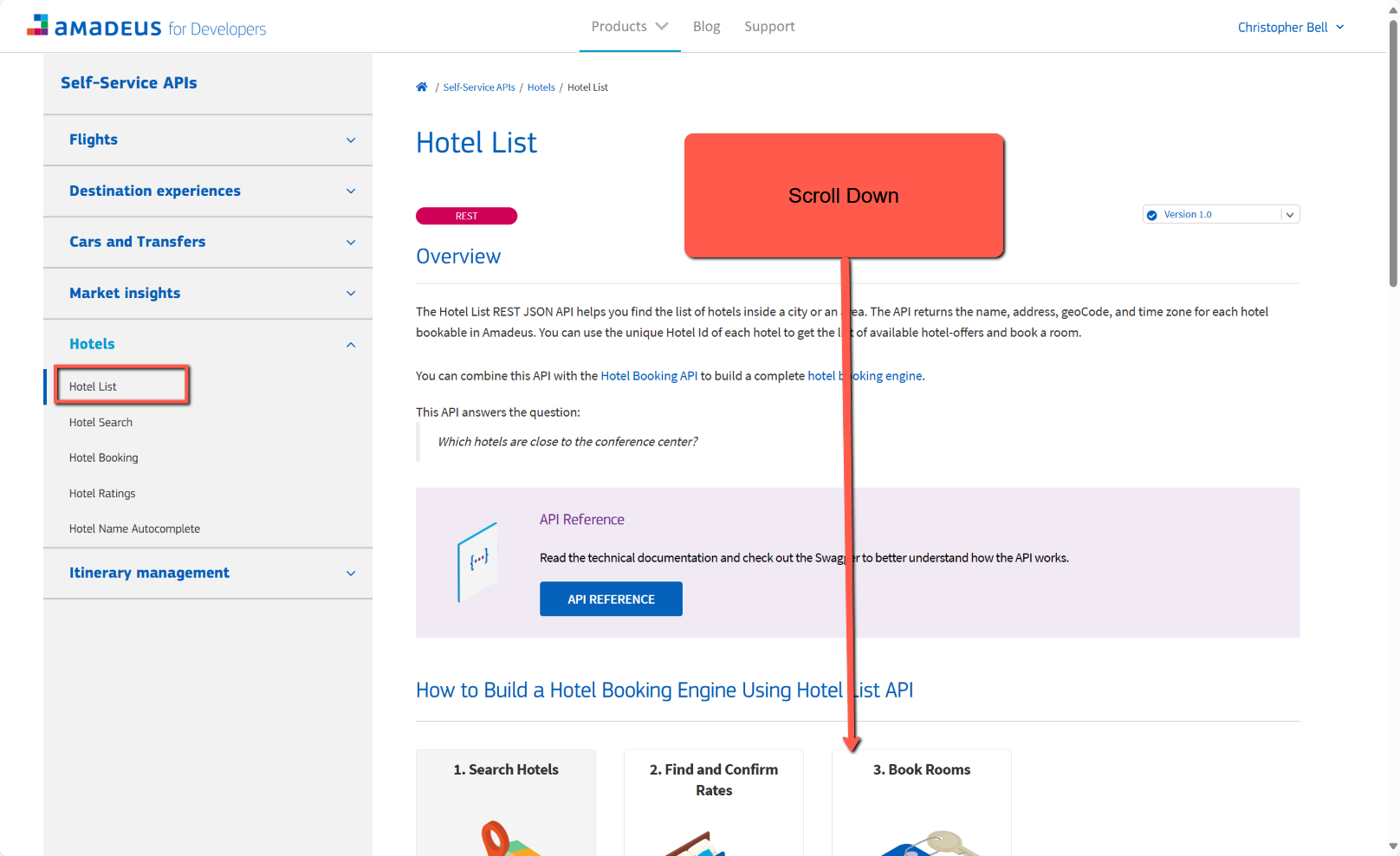
In Amadeus for Developers I chose to use 'Hotels by City search' to start with as the results were relatively simple.
- Go to Amadeus for Developers
- Sign in
- Select Products
- Select Hotels
- Select Hotel Search
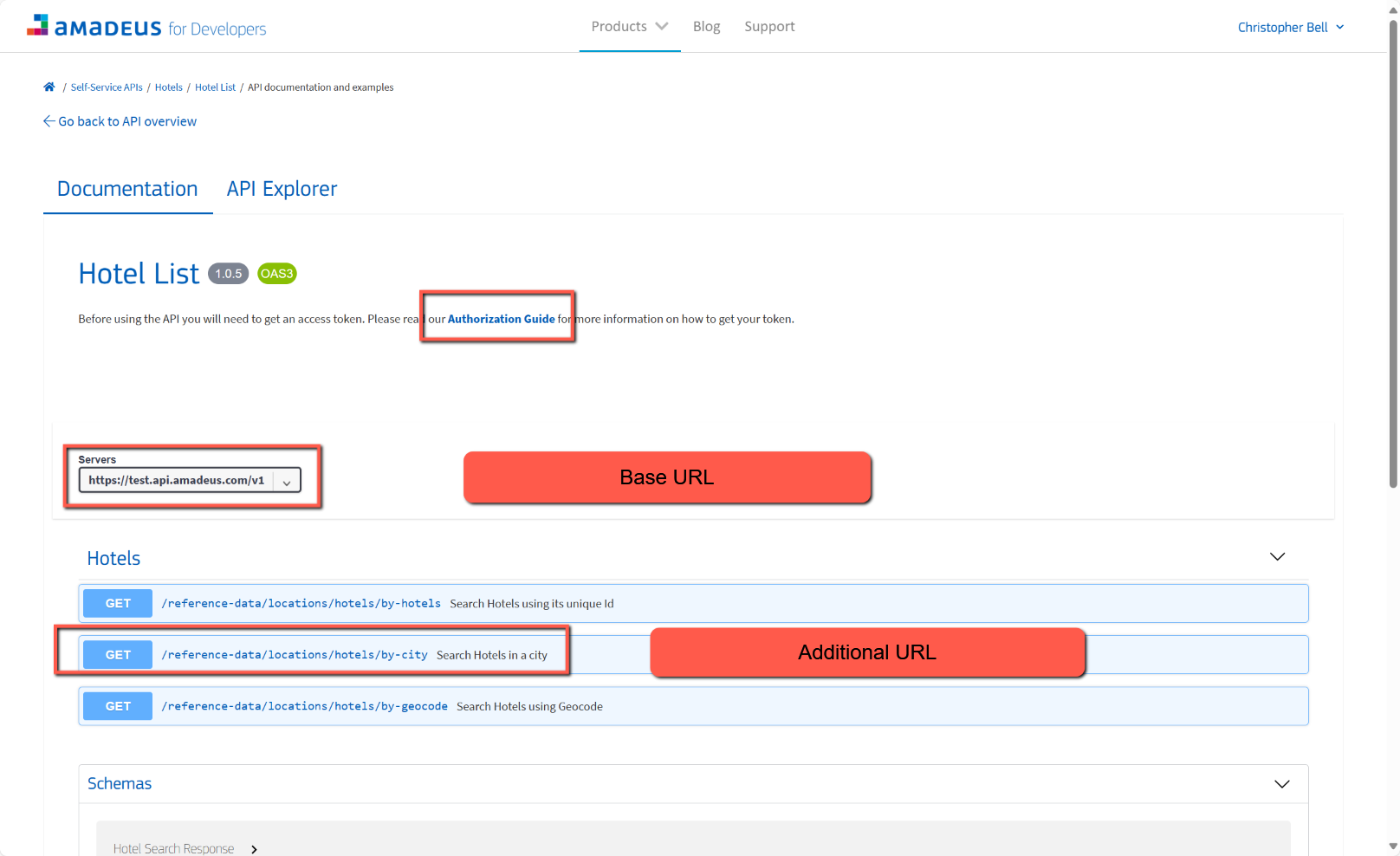
- Scroll down and select 'Go to API reference and examples'
Click the 'Authorization Guide' link. Notice
- it uses OAuth for authentication
- which generates Access Tokens
- Amadeus uses 'Client Credentials Grant'
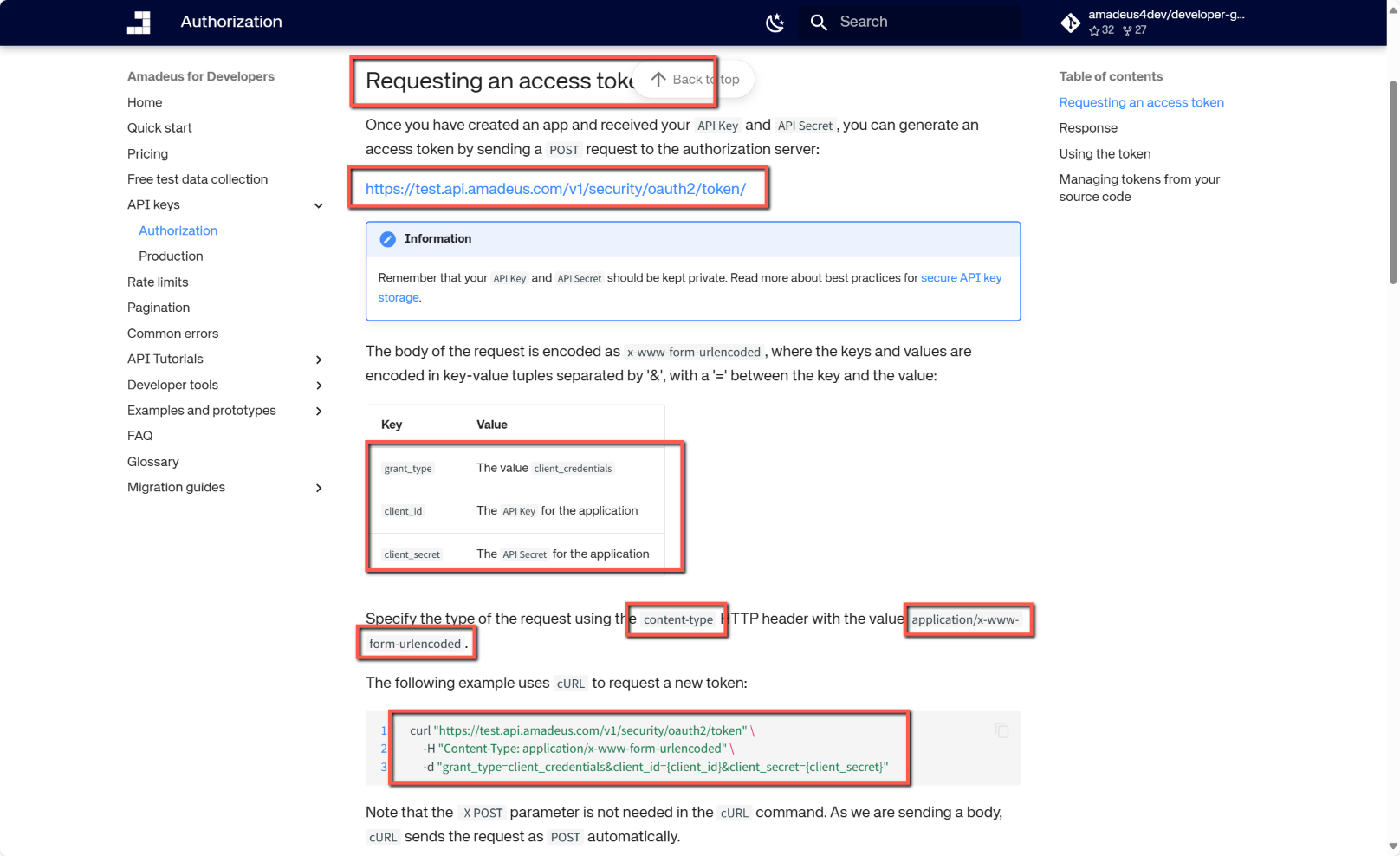
To get an Access Token we need to send a POST request to:
https://test.api.amadeus.com/v1/security/oauth2/token
The request also sends the API key and API Secret and must use 'content-type' in the header with a value of 'application/x-www-form-urlencoded'

All this should make sense shortly.
Go back to the Amadeus for Developers page for Hotel List
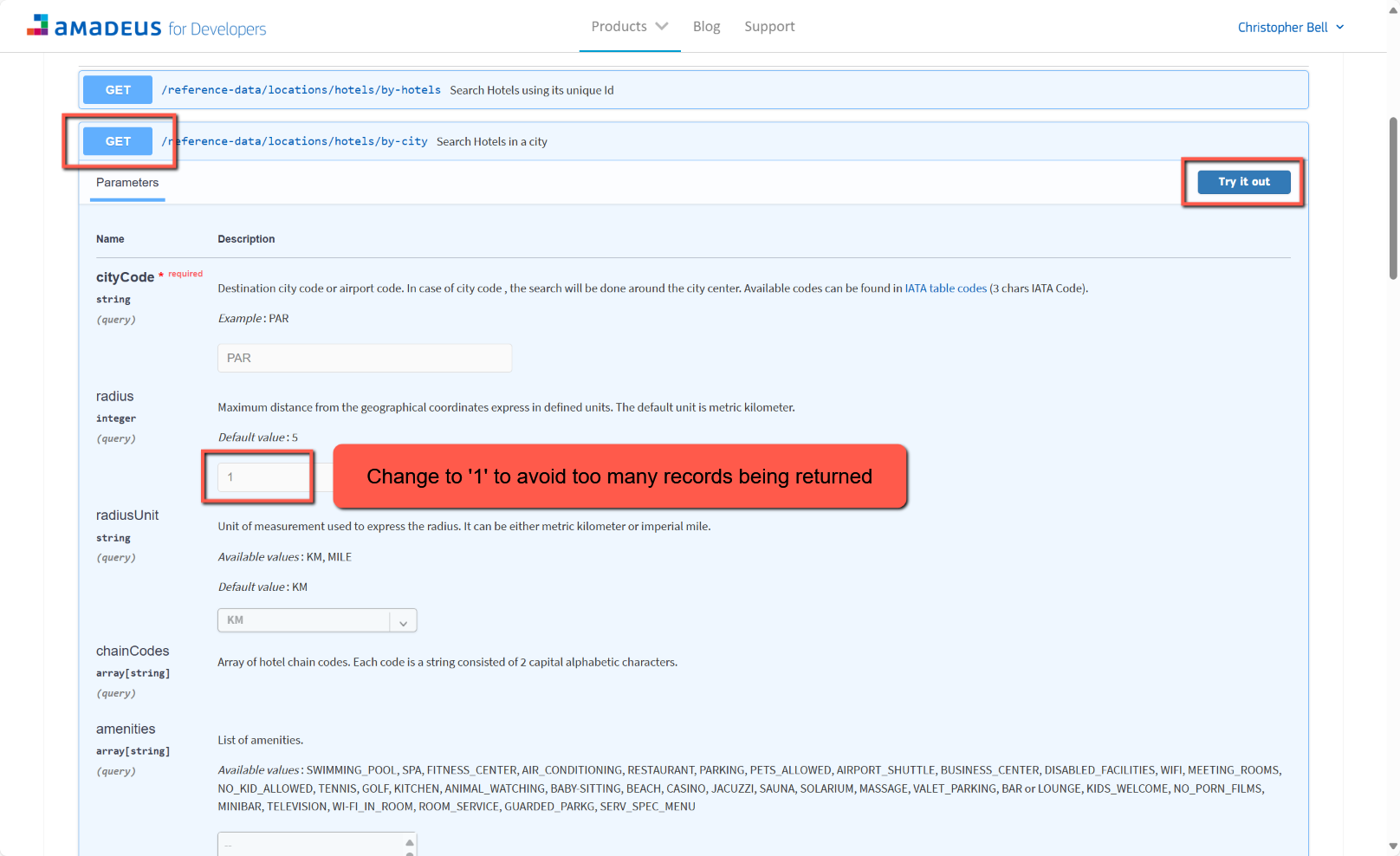
- Click the second 'GET' button, 'Search Hotels in a city'
- Click 'Try it out'
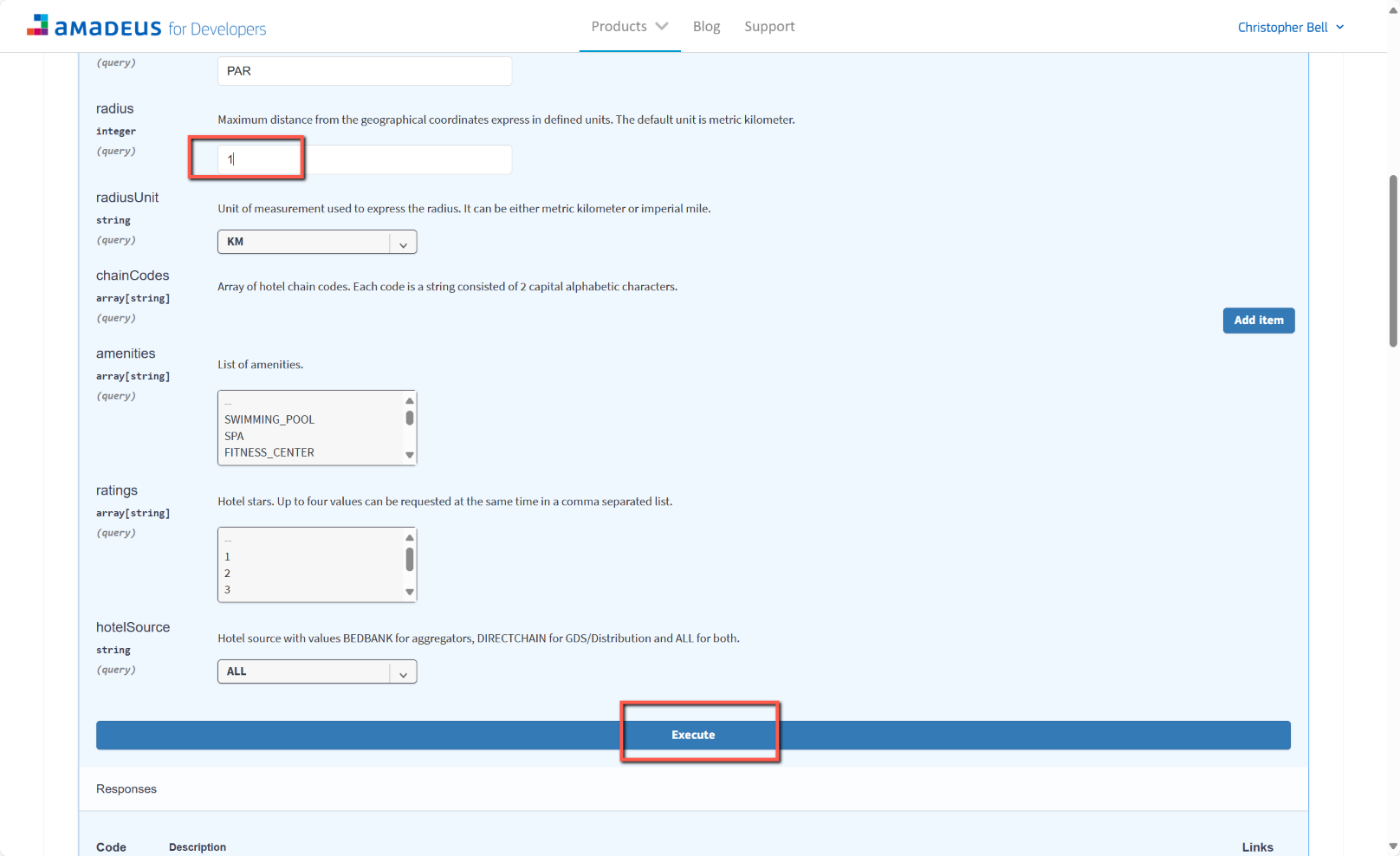
- Scroll down and change the 'radius' to 1 to avoid getting too many records being returned.
- Scroll down and click 'Execute'
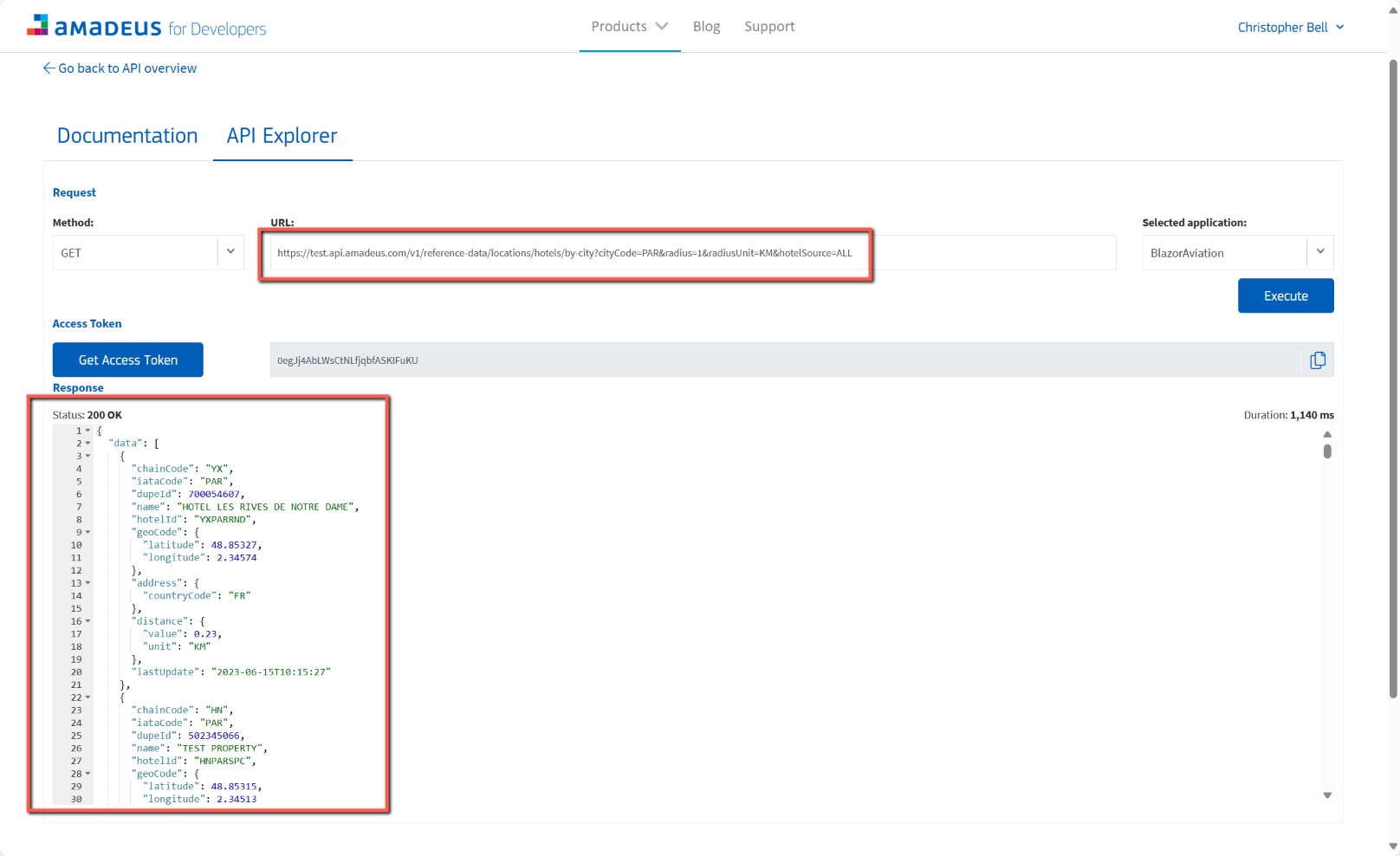
- The GET command executes and displays a list of results (in json format), but it also displays the URL used to get the results. Copy this URL to the clipboard.
Insomnia
Open Insomnia. I'm not sure exactly how it will look when initially opened, but do recall that the typeface was incredibly small. Increase the size of everything by ctrl+.
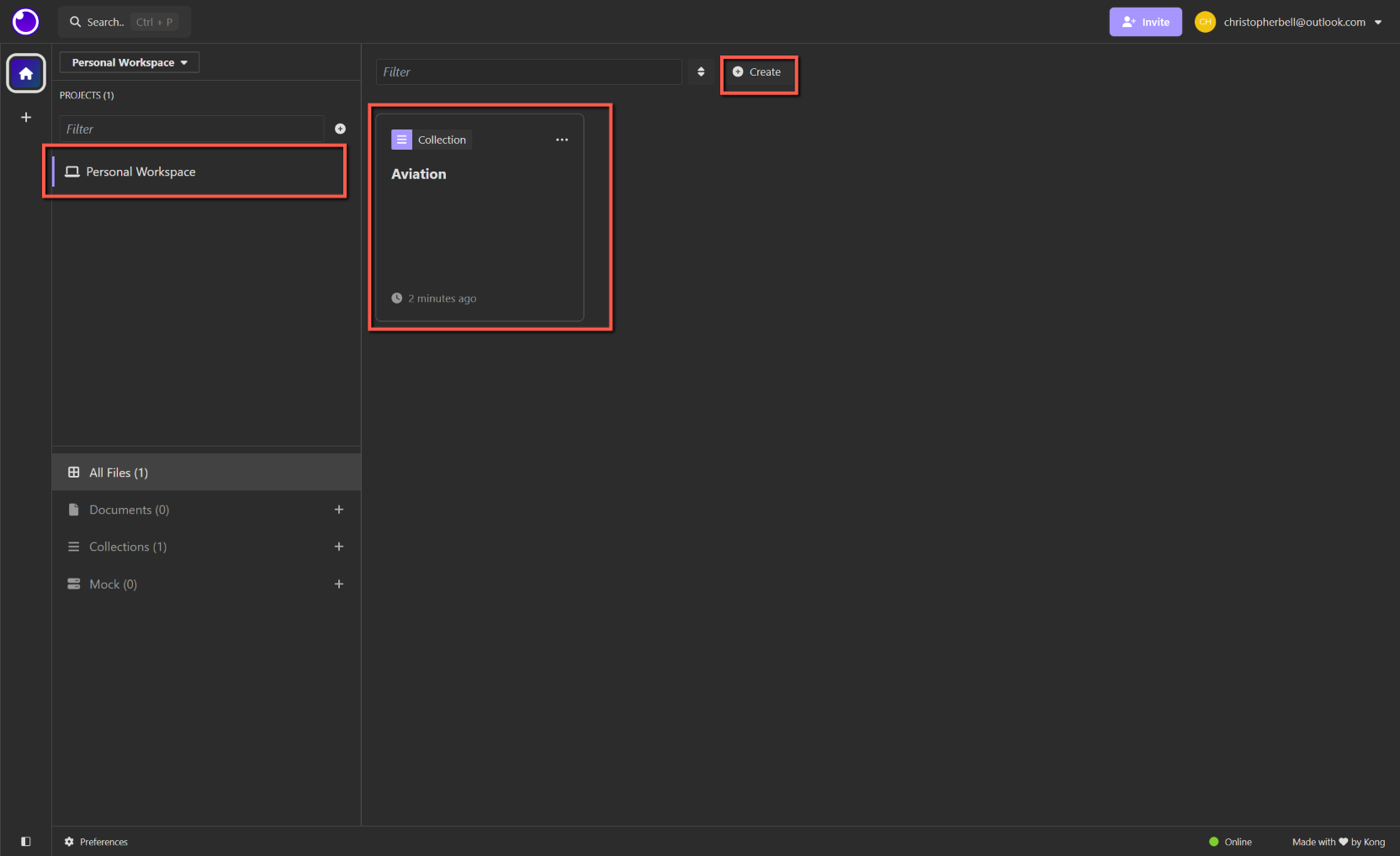
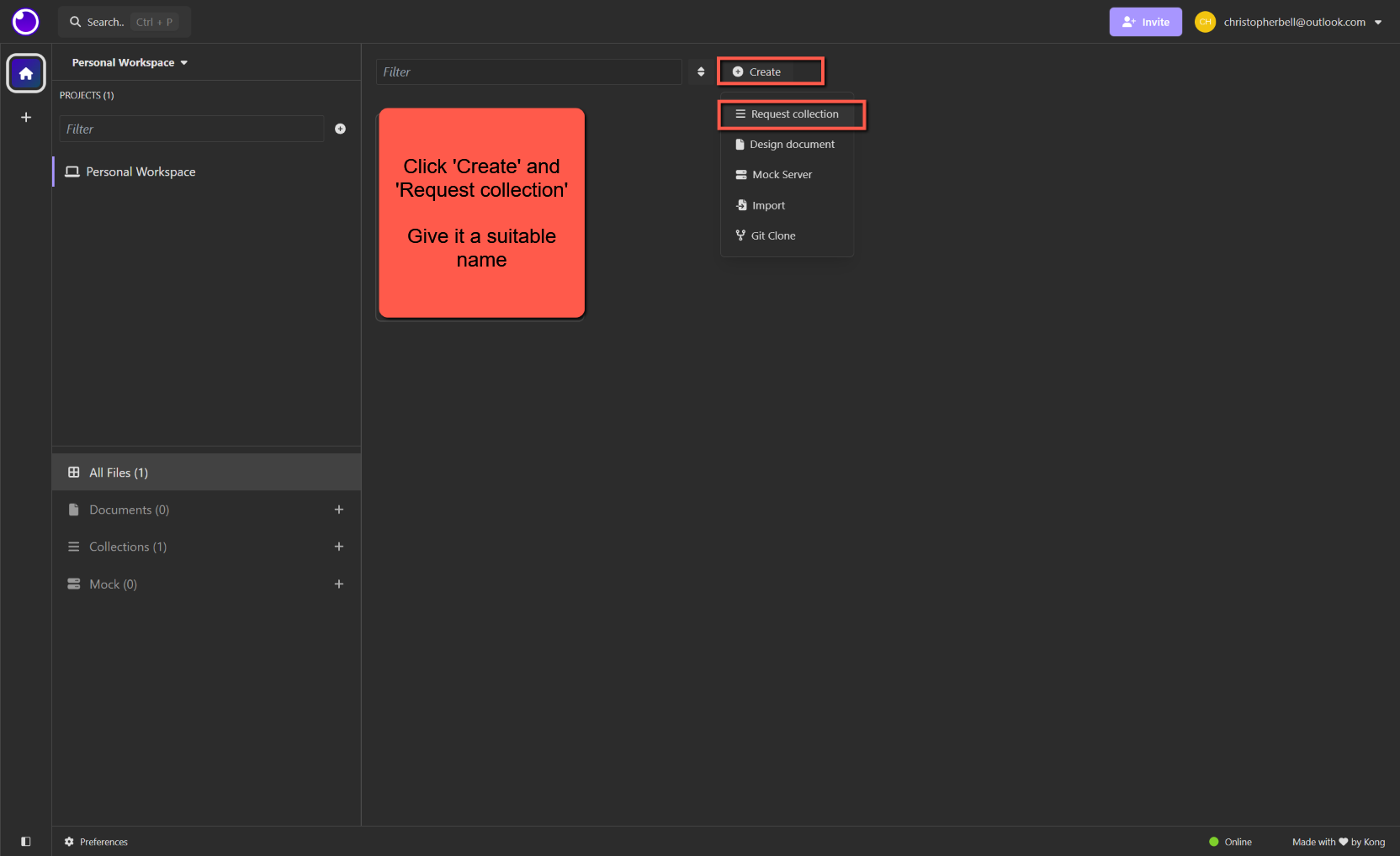
- Create a Collection
- Give it a suitable name
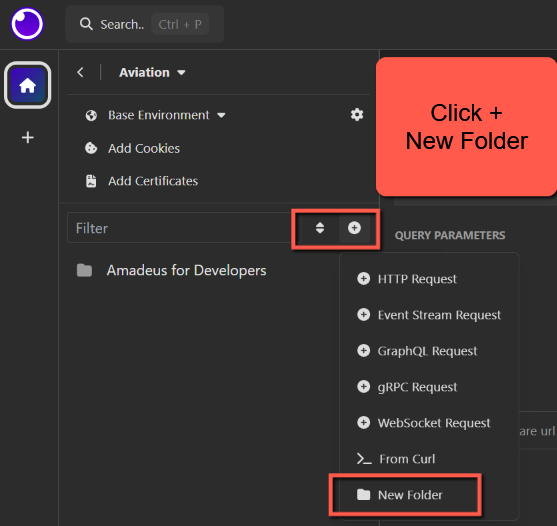
- Create a new Folder and name it
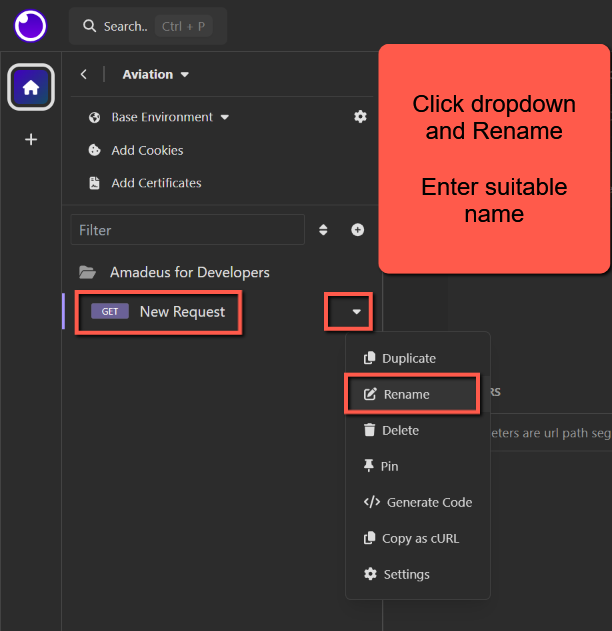
- Create a new HTTP Request
- Give it a suitable name
- In the 'main' pane select 'GET' from the drop-down (if not already selected)
- In the GET textbox at the top of the screen, paste in the URL copied from Amadeus.
- Click the Auth drop-down tab and select 'OAuth 2.0'
- Select 'Client Credentials' from the 'Grant Type' dropdown
- In 'Access Token URL', paste in the URL from Amadeus documentation (https://test.api.amadeus.com/v1/security/oauth2/token)
- In 'Client ID' enter your Amadeus API Key
- In 'Client Secret' enter your Amadeus API Secret
- Click the 'Headers' drop-down' tab
- Click the 'Add' button
- Enter 'Content-Type' in the first column
- Enter 'application/x-www-form-urlencoded' in the value column
- Return to the Auth drop-down tab
- Click 'Fetch Tokens'
Clicking 'Fetch Tokens' should populate the 'Access Token' textbox with a token (together with a comment that it will expire in 30 minutes) NOTE: I had some difficulty with this at some stage. I think I solved the problem by ensuring there was no trailing '/' after 'token' in the Access Token URL.
Now click the 'Send' key next to the GET textbox. This should then retrieve json data, displayed in the right-hand pane.
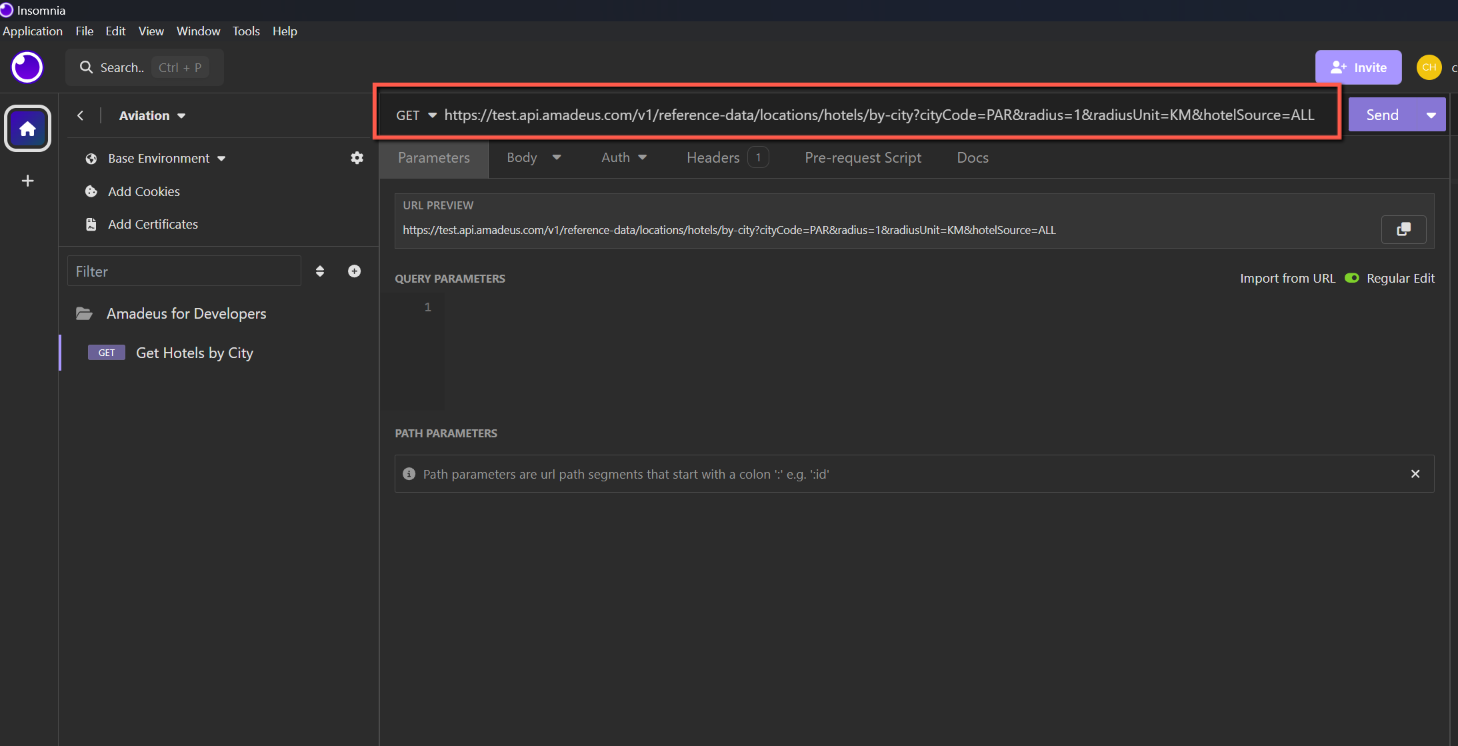


Adding query parameters
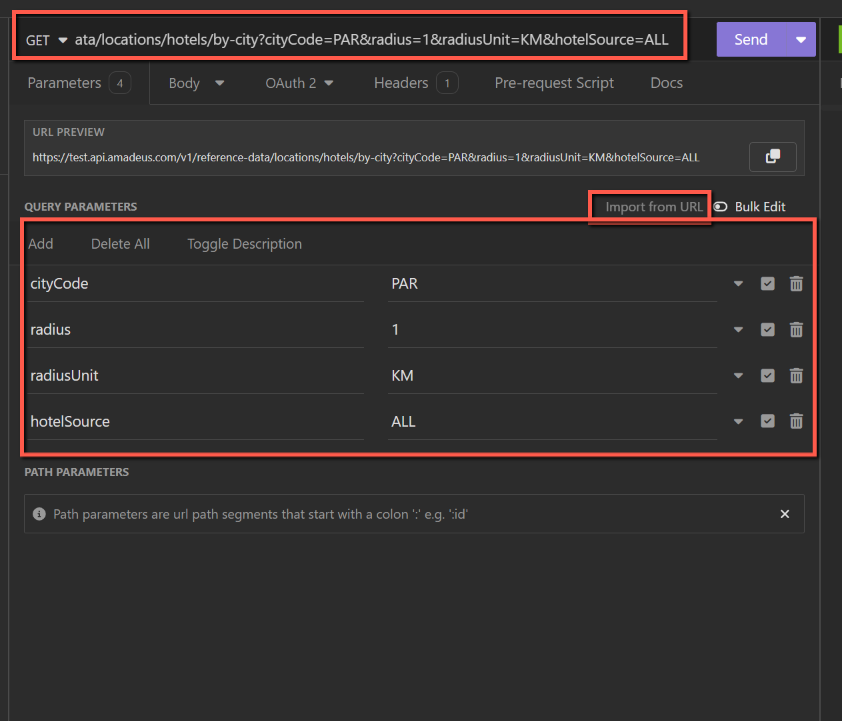
I found the easiest way to do this was to copy the URL from Amadeus with the parameters populated, and in Insomnia paste the whole URL into the GET textbox and then click 'Import from URL' on the Parameters tab. It is then pretty easy to change the parameters and return a different set of data.