Using a GUID in Routing
Summary
When either previewing or editing an order the user can see the ID of the order in the browser address bar; at present this is POHeaderID and is simply a number given sequentially to each new order. It would therefore be very easy for a curious, or unscrupulous, user to access an order either for editing, or previewing, by guessing an order ID.
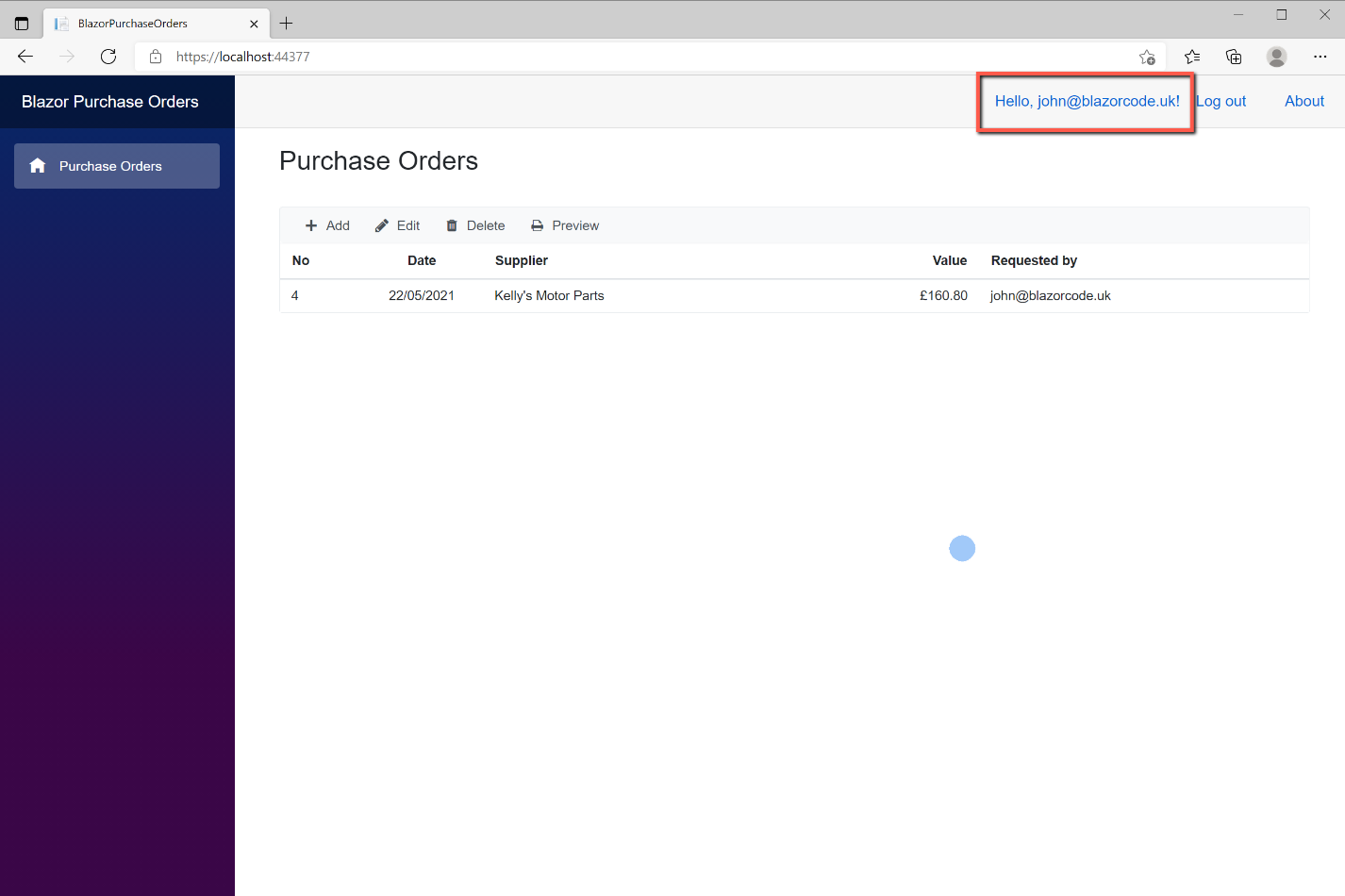


In the example above, the user should be restricted to their own orders only, however, by typing another order number in the address bar access is gained to a different order.
To prevent this type of unauthorised access, it is proposed to change the routing to use a GUID instead of an easily guessed incrementing order ID. A GUID is a 'globally unique identifier', consisting of 32 characters (with 4 hyphen separators). If 1 billion 'guesses' per second could be entered for 85 years there would still be only a 50% chance of guessing a particular GUID. This sounds like a fairly safe method to prevent unauthorised access - but is not 100% safe!
YouTube Video
Add a GUID to POHeader
To make these changes it will be necessary to make a number of amendments, the starting point being the addition of a GUID to the POHeader table. This will be an additional column and won't replace the existing POHeaderID. (I did, briefly, consider changing the primary key - POHeaderID - with a GUID, but discounted this idea once I realised that this was the link between POHeader and POLine tables. If I was starting from scratch this would warrant further consideration.)
The SQL code to add a new GUID column to the POHeader table, called POHeaderGuid, and populate all existing records, is:
ALTER TABLE POHeader ADD [POHeaderGuid] uniqueidentifier NOT NULL DEFAULT NEWID();Side Note: If using the GUID as a primary key, consider replacing 'newid' with 'newsequentialid'; it should improve performance.
In the C# code we will also need to add the new column to the POHeader class. To do this add the following to POHeader.cs
public System.Guid POHeaderGuid { get; set; }Getting started
To implement these changes is going to involve quite a bit of jumping between SQL and C#, and within C# there is also going to be a fair bit of jumping between files.
Starting with the Index page, we will look at the Preview option and the first thing we realise is that we are going to need POHeaderGuid for any row selected from the grid so that it can be used as the parameter for the Preview page routing. We therefore need to include POHeaderGuid in the SQL for the POHeaderList service.
Open SQL and amend the stored procedure POHeader_List to include POHeaderGuid in both the 'Select' and 'Group by' clauses. There is no need to amend the POHeaderList service in C# as the columns being returned are not individually specified.
Index
In Index.razor we need POHeaderGuid for the order selected from the grid when the user clicks a particular row. We will declare a new variable 'selectedPOHeaderGuid' and use the RowSelectHandler to assign the relevant value.
To declare the variable enter the following near the top of the code section. (Note that the type is 'Guid'.)
private Guid selectedPOHeaderGuid { get; set; }In the RowSelectHandler method add the following:
selectedPOHeaderGuid = args.Data.POHeaderGuid;All that now remains to be changed (for now) in Index.razor is for the ToolBarClickHander for the 'Preview' option to be modified to pass the new variable 'selectedPOHeaderGuid' in place of 'selectedPOHeaderID'. i.e.
await IJS.InvokeAsync<object>("open", new object[] { "/previeworder/" + selectedPOHeaderGuid + "", "_blank" });Preview Order Page
In the PreviewOrderPage.razor the first change we need to make is to replace the [Parameter] being passed to the page from POHeaderID to POHeaderGUID, and similarly, the @page directive needs changing. Both as shown below:
     [Parameter]
    public Guid POHeaderGuid { get; set; }
@page "/previeworder/{POHeaderGuid:guid}"POHeader_GetOneByGuid
But there's another problem. Originally, we used the POHeaderID in the OnInitializedAsync method to retrieve the order header from the database. However we are no longer passing POHeaderID as a parameter (perhaps we could?), so we will need to change the SQL stored procedure so that the order header is retrieved by 'Guid' rather than 'Id'. We will create a new stored procedure in SQL to do this, and to keep it separate by naming it 'POHeader_GetOneByGuid'. This basically the same as the existing 'POHeader_GetOne', but with the parameter replaced with '@POHeaderGuid'. The SQL for the complete stored procedure is shown below:
USE [PurchaseOrders]
GO

/****** Object:  StoredProcedure [dbo].[spPOHeader_GetOneByGuid]   ******/
SET ANSI_NULLS ON
GO

SET QUOTED_IDENTIFIER ON
GO

--------------  Stored Proc for SELECT (one)
CREATE PROCEDURE [dbo].[spPOHeader_GetOneByGuid]
-- Needs one parameter for primary key
@POHeaderGuid uniqueidentifier
AS
BEGIN
-- SQL Select for one table row
SELECT  dbo.POHeader.POHeaderID, dbo.POHeader.POHeaderOrderNumber, dbo.POHeader.POHeaderOrderDate, dbo.POHeader.POHeaderSupplierID, dbo.POHeader.POHeaderSupplierAddress1, dbo.POHeader.POHeaderSupplierAddress2, dbo.POHeader.POHeaderSupplierAddress3, dbo.POHeader.POHeaderSupplierPostCode, dbo.POHeader.POHeaderSupplierEmail, dbo.POHeader.POHeaderRequestedBy,
           dbo.POHeader.POHeaderIsArchived, dbo.Supplier.SupplierName, SUM(ISNULL(dbo.POLine.POLineProductQuantity * dbo.POLine.POLineProductUnitPrice, 0)) AS NetPrice, SUM(ISNULL(dbo.POLine.POLineProductQuantity * dbo.POLine.POLineProductUnitPrice * dbo.POLine.POLineTaxRate, 0)) AS Tax, SUM(ISNULL((dbo.POLine.POLineProductQuantity * dbo.POLine.POLineProductUnitPrice)
           * (1 + dbo.POLine.POLineTaxRate), 0)) AS TotalOrderValue
FROM    dbo.POHeader LEFT OUTER JOIN
           dbo.POLine ON dbo.POHeader.POHeaderID = dbo.POLine.POLineHeaderID LEFT OUTER JOIN
           dbo.Supplier ON dbo.POHeader.POHeaderSupplierID = dbo.Supplier.SupplierID
		   WHERE POHeaderGuid= @POHeaderGuid
GROUP BY dbo.POHeader.POHeaderID, dbo.POHeader.POHeaderOrderNumber, dbo.POHeader.POHeaderOrderDate, dbo.POHeader.POHeaderSupplierID, dbo.POHeader.POHeaderSupplierAddress1, dbo.POHeader.POHeaderSupplierAddress2, dbo.POHeader.POHeaderSupplierAddress3, dbo.POHeader.POHeaderSupplierPostCode, dbo.POHeader.POHeaderSupplierEmail, dbo.POHeader.POHeaderRequestedBy,
           dbo.Supplier.SupplierName, dbo.POHeader.POHeaderIsArchived

END

GO
POHeaderService.cs
Having created a new stored procedure we will need to reference it in the POHeaderService. The code is shown below, but follows the pattern used for POHeader_GetOne, substituting the Guid for the Id.
        public async Task<POHeader> POHeader_GetOneByGuid(Guid @POHeaderGuid)
        {
            POHeader poheader = new POHeader();
            var parameters = new DynamicParameters();
            parameters.Add("@POHeaderGuid", POHeaderGuid, DbType.Guid);
            using (var conn = new SqlConnection(_configuration.Value))
            {
                poheader = await conn.QueryFirstOrDefaultAsync<POHeader>("spPOHeader_GetOneByGuid", parameters, commandType: CommandType.StoredProcedure);
            }
            return poheader;
IPOHeaderService.cs
And, of course, the IPOHeaderService needs to be similarly updated to include the new service. Add the following line:
Task<POHeader> POHeader_GetOneByGuid(Guid POHeaderGuid);PreviewOrderPage.razor
There are a couple of further changes we need to make to the Preview Order Page. Originally POHeaderID was passed as a parameter; this is no longer the case but we still use it and will therefore need to declare it separately.
public int POHeaderID { get; set; }We also need to modify the OnInitiliazedAsync method to populate the orderHeader object and then assign the correct value to POHeaderID so it can in turn be used to populate the order lines list.
        orderHeader = await POHeaderService.POHeader_GetOneByGuid(POHeaderGuid);
        POHeaderID = orderHeader.POHeaderID;
With these changes in place save and test the application.
Purchase Order Page
The next task is to tackle is the Purchase Order Page. This is used to add new purchase orders as well as editing existing orders.
Index.razor
We need to change the routing on the Index page so that both the 'Add' and 'Edit' toolbar events point to PurchaseOrderPage using the order Guid in place of the Id. To do this change the navigation statement in the 'Add' section of the ToolBarClickHandler method to:
NavigationManager.NavigateTo($"/purchaseorder/{Guid.Empty}");The 'Guid.Empty' replaces the POHeaderID and provides the equivalent of a zero Guid.
Similarly, for the 'Edit' section of the ToolBarClickHandler method so that the navigation statement reads:
NavigationManager.NavigateTo($"/purchaseorder/{selectedPOHeaderGuid}");PurchaseOrderPage.razor
The Purchase Order Page requires a little more work. As for the PreviewOrder page, we need to change the @page directive and the Parameter to reflect the fact that we are using a Guid, not the POHeaderID. However, parts of the code will still need to reference the POHeaderID, so this needs to now be declared separately. The changes are shown below:
@page "/purchaseorder/{POHeaderGuid:guid}" private int POHeaderID { get; set; } = 0;
[Parameter]
public Guid POHeaderGuid { get; set; }In the OnInitializedAsync method we need to distinguish between whether new order is being entered, or an existing one being edited. Originally this was achieved be determining whether POHeaderID was 0 or not. Now that we are using an empty Guid to identify a new order, the 'if' statement needs amending to:
if (POHeaderGuid == Guid.Empty)If an existing order is being edited, we need to retrieve the data for POHeader for the selected order and populate the 'orderaddedit' object. Previously this was done using the POHeaderID, but we no longer have this data. We must now use POHeaderGuid and the new POHeader_GetOneByGuid service. But the order lines are read from the database using POHeaderID; we therefore need to establish the POHeaderID of the POHeader record immediately it is retrieved using the Guid. The revised code that does this is shown below:
         else
        {
            pagetitle = "Edit an Order";
            orderaddedit = await POHeaderService.POHeader_GetOneByGuid(POHeaderGuid);
            POHeaderID = orderaddedit.POHeaderID;
            orderLinesByPOHeader = await POLineService.POLine_GetByPOHeader(POHeaderID);
            orderLines = orderLinesByPOHeader.ToList(); //Convert from IEnumable to List
            supplierEnabled = false;
        }
Save and test!
Index - Delete
The one option on the toolbar that hasn't been covered so far is the 'Delete' option. Luckily, no change needs to be for this. The 'RowSelectHandler' gets the POHeaderID and we use this to delete the order. There is no need to re-code this and the associated SQL stored procedure to use the Guid - the POHeaderID is the primary key anyway and is all that's required.
Project Code
The code for all the files changed in this post are shown here.