Add MudBlazor
Introduction
For all my Blazor projects to date I have always used Syncfusion controls; I like their community licence, the controls themselves, the documentation and the very helpful response from their support and forum.
Just to try something different I thought I would have a look at MudBlazor.
Installing MudBlazor
Open the project in Visual Studio 2022:
- Select Tools > Nuget Package Manager > Package Manager Console
- Enter
pwdto check you are in the PhotinoDemo folder - Enter
dotnet add package MudBlazor


This will have the effect of adding a line to the .csproj file with this:
<PackageReference Include="MudBlazor" Version="8.10.0" />Alternatively, you could simply add the above to the .csproj file, but this would have the disadvantage of not necessarily including the lastest package. (But you could also update via the Tools > Nuget Package Manager.)
To continue...
- Open _Imports.razor
- At the end of the file add:
@using MudBlazor
- Open Program.cs
- Insert the following at the top of the file:
using MudBlazor.Services; - Insert the following in the 'appBuilder' section:
appBuilder.Services.AddMudServices();

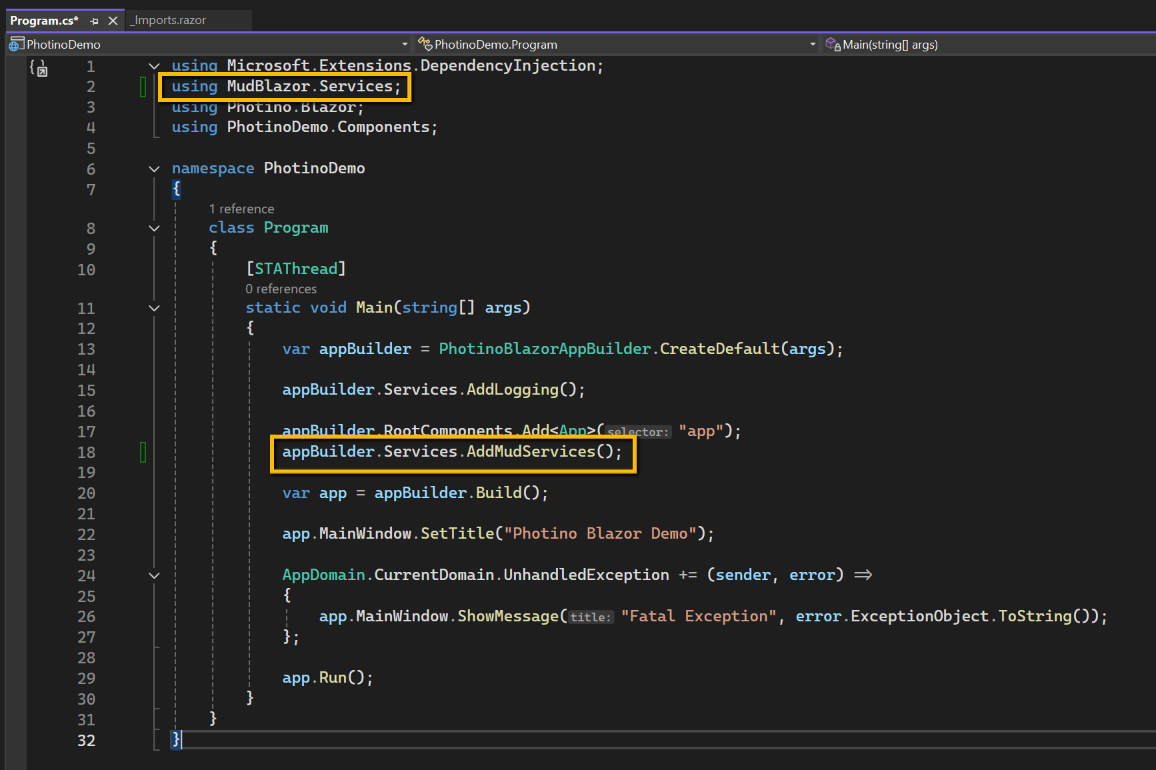
- Open index.html and replace all code with the code shown below. There are two main differences, the fonts and styles added to the <head> section and the script for Mudblazor in the <body> section:
<!DOCTYPE html>
<html>
<head>
    <!-- Fonts and styles -->
    <link href="https://fonts.googleapis.com/css?family=Roboto:300,400,500,700&display=swap" rel="stylesheet" />
    <link href="_content/MudBlazor/MudBlazor.min.css" rel="stylesheet" />
</head>
<body>
    <app>Loading...</app>

    <script src="_framework/blazor.webview.js"></script>
    <script src="_content/MudBlazor/MudBlazor.min.js"></script>

</body>
</html>
Similarly, at the top of MainLayout.razor, after @inherits LayoutComponentBase insert:
@* Required Providers *@
<MudThemeProvider />
<MudPopoverProvider />

@* Optional Providers *@
<MudDialogProvider />
<MudSnackbarProvider />

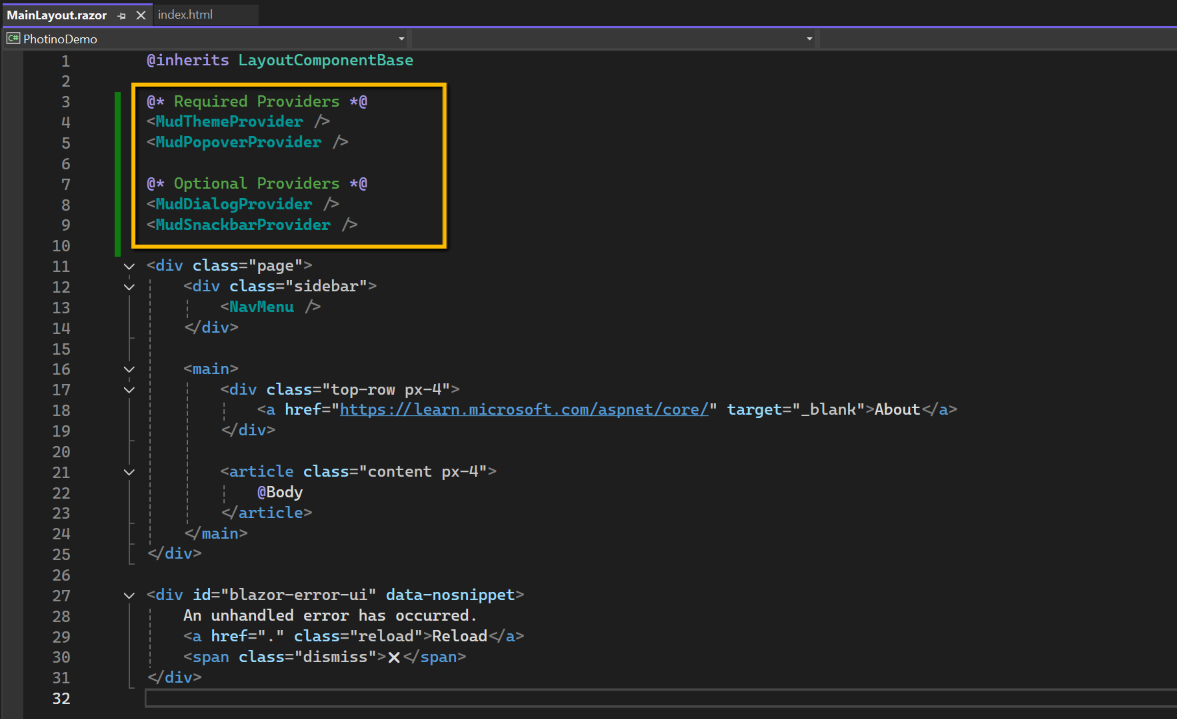
Save all files and check the installation by running the application. (There won't be any obvious changes!)