MudBlazor Slide-In Menu
Introduction
One of the first features of MudBlazor that caught my eye was the attractive 'slide-in' menu. In MudBlazor language this is a 'Drawer' and I thought I would get started with MudBlazor by adding this component to the standard Blazor demonstration project, remembering that I have already modified the project to run as a desktop app by using Photino.
The changes required are all inter-linked and interdependent and will require changes to:
- MainLayout.razor
- NavMenu.razor
- index.html
and a new file called
- AppThemeProvider.cs
MainLayout.razor
Replace the existing code in MainLayout,razor with:
@inherits LayoutComponentBase

@* Required Providers *@
<MudThemeProvider />
<MudPopoverProvider />

@* Optional Providers *@
<MudDialogProvider />
<MudSnackbarProvider />

<MudLayout>
	<MudAppBar Dense="true">
		<MudIconButton Icon="@Icons.Material.Filled.Menu" Color="Color.Inherit" Edge="Edge.Start" OnClick="@((e) => DrawerToggle())" />
	</MudAppBar>

	<MudDrawer @bind-Open="@_drawerOpen">
		<MudDrawerHeader>
			<MudStack Row="false" Justify="Justify.Center">
				<MudText Typo="Typo.h5">MudBlazor Photino Demo</MudText>
			</MudStack>
		</MudDrawerHeader>
		<NavMenu />
	</MudDrawer>

	<MudMainContent>
		<MudContainer Class="px-8 py-6">
			@Body
		</MudContainer>
	</MudMainContent>

</MudLayout>

@code {
	bool _drawerOpen = true;

	void DrawerToggle()
	{
		_drawerOpen = !_drawerOpen;
	}
}
NavMenu.razor
Replace the code in NavMenu.razor with:
<MudNavMenu>
    <MudNavLink Href="" Match="NavLinkMatch.All" Icon="@Icons.Material.Filled.Home">Home</MudNavLink>
    <MudNavLink Href="counter" Match="NavLinkMatch.Prefix" Icon="@Icons.Material.Filled.Add">Counter</MudNavLink>
    <MudNavLink Href="weather" Match="NavLinkMatch.Prefix" Icon="@Icons.Material.Filled.Cloud">Weather</MudNavLink>
</MudNavMenu>
index.html
We have removed the code unhandled errors from from MainLayout.razor, so we need to re-introduce it in index.html. Insert the following after <app>
    <div id="blazor-error-ui">
        An unhandled error has occurred.
        <a href="" class="reload">Reload</a>
        <a class="dismiss">🗙</a>
    </div>
AppThemeProvider.cs
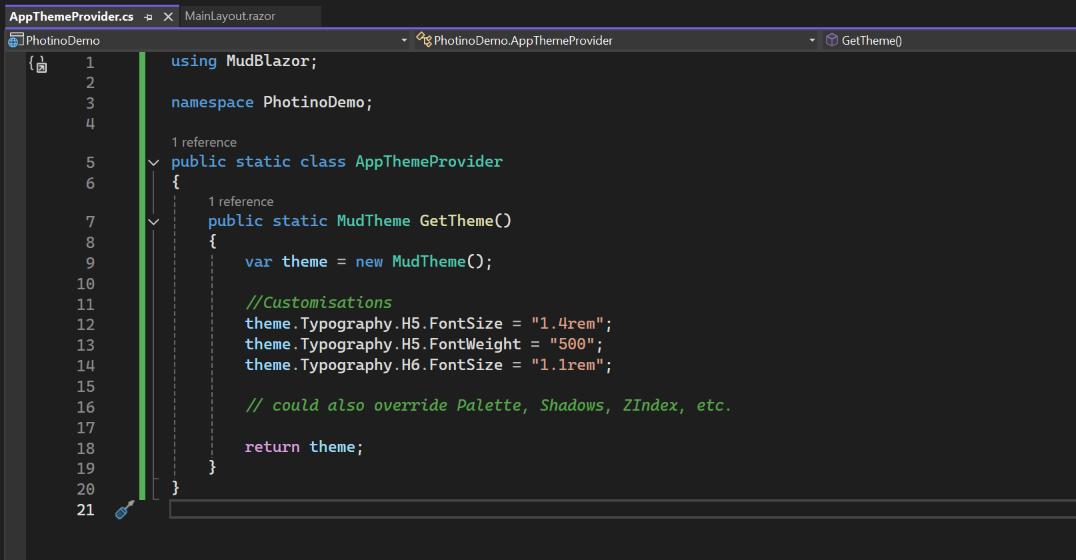
At this stage adding AppThemeProvider.cs is optional and doesn't really add anything at this point, but lays the foundations for a consistent appearance throughout the application.
Add a new file called AppThemeProvider.cs in the root folder of the project (i.e. the same level as Program.cs). Insert the following code into the new file:
using MudBlazor;

namespace PhotinoDemo;

public static class AppThemeProvider
{
    public static MudTheme GetTheme()
    {
        var theme = new MudTheme();

        //Customisations
        theme.Typography.H5.FontSize = "1.4rem";
        theme.Typography.H5.FontWeight = "500";
        theme.Typography.H6.FontSize = "1.1rem";
        // could also override Palette, Shadows, ZIndex, etc.

        return theme;
    }
}
The 'AppThemeProvider' class is a static helper whose sole responsibility is to build and expose a customized MudTheme instance for an application. By isolating palette, typography, spacing, and shape overrides in one place, it:
- Keep theme-related code out of your layout and component files
- Ensure consistency across pages and components
- Make future tweaks (colours, fonts, sizing) in a single location
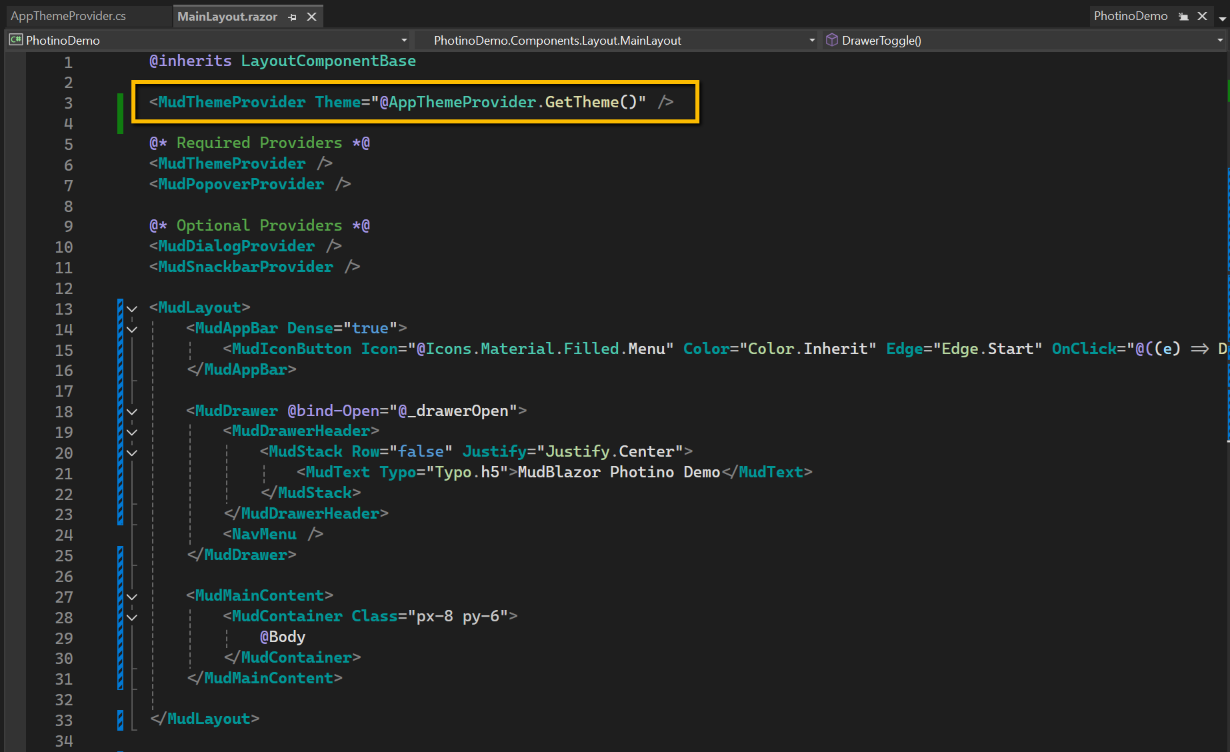
To integrate the 'theme' we need to make an amendment to MainLayout.razor by inserting the following line after @inherits LayoutComponentBase
<MudThemeProvider Theme="@AppThemeProvider.GetTheme()" />